
Recent data shows that while over 80% of developers use AI in their workflow, only a smaller share reports consistent productivity gains. In some cases, AI speeds up delivery by 30-50%. In others, it adds overhead through unclear logic, rework, and validation effort. The same tool produces very different outcomes depending on the approach.
This raises practical questions. When does AI actually improve development speed? Why do some teams see gains while others do not? What changes in the development process when AI becomes part of everyday work? And what patterns lead to poor results?
In our new article, we break down what works and what does not in AI-assisted software development. It looks at real workflows, trade-offs, and constraints and shows how teams can use AI without losing control over code quality and system behavior.
Key takeaways
- AI improves speed, but only when supported by structured workflows and clear input.
- Productivity gains vary and depend more on usage patterns than on the tools themselves.
- Developers spend less time writing code and more time reviewing and validating it.
- Specification-driven approaches improve consistency and reduce rework.
- Poor input, lack of validation, and large code batches lead to unreliable results.
What Are Main Approaches to AI in Software Development?
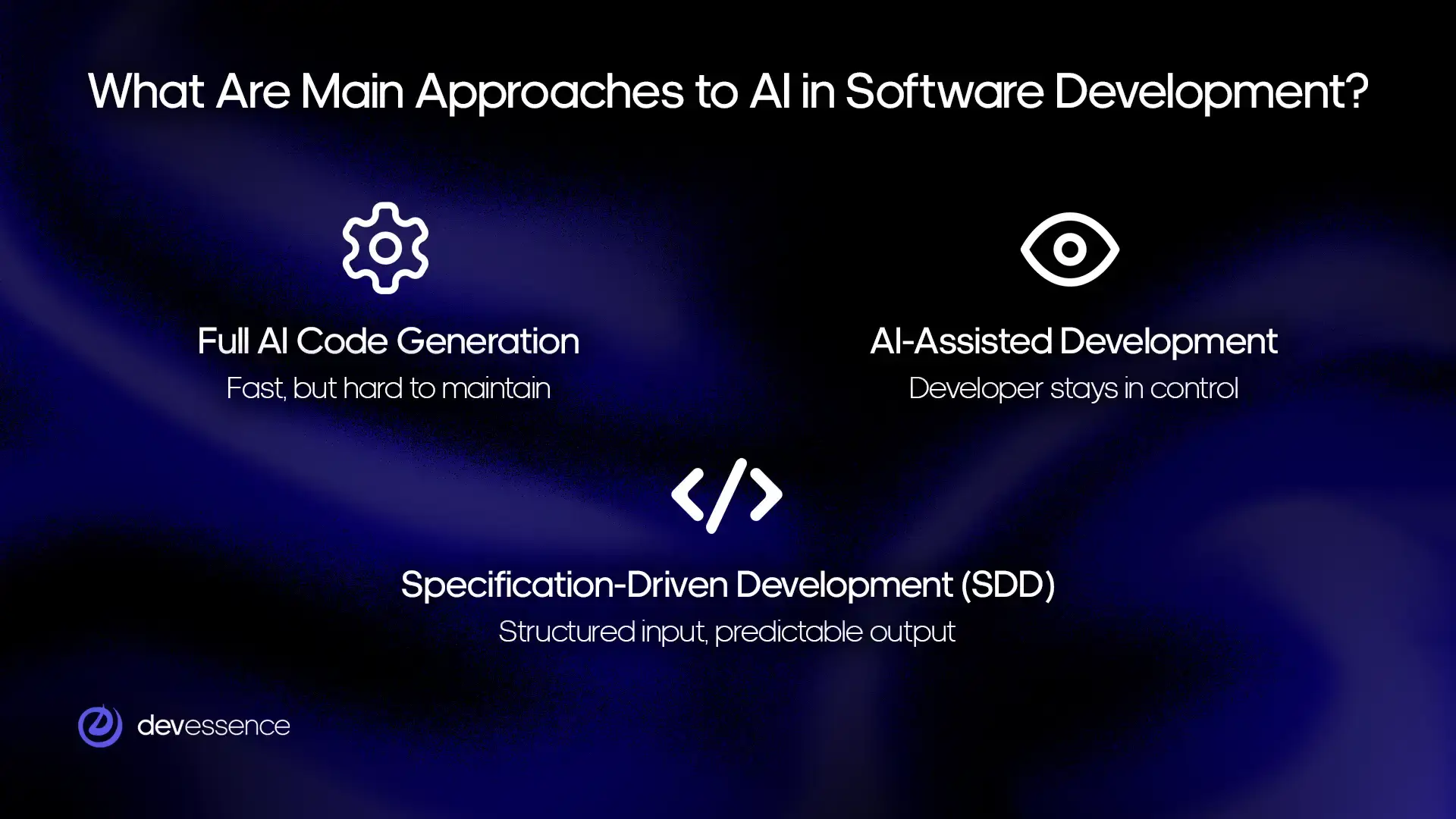
Teams apply AI in different ways depending on system complexity, risk, and the level of control required. The main difference between approaches lies in how decisions are made, how much context AI receives, and how responsibility is shared between the system and the developer.
Full AI code generation
AI generates code or an entire project directly from a prompt, with minimal structure or intermediate steps.
This approach is commonly used for:
- prototypes that help validate ideas quickly;
- small internal tools with a limited lifespan.
The main drawback is long-term sustainability. Generated code often lacks consistency and clear structure, which makes it difficult to extend or maintain. As the system grows, teams spend more time fixing and rewriting than building forward. For this reason, it rarely fits enterprise environments where stability and clarity are required.
AI-assisted development
AI acts as a support tool during development, generating code snippets, suggesting improvements, and helping automate routine work. The developer stays in control of the system.
In this model, developers are responsible for:
- reviewing and understanding the generated code;
- validating logic, edge cases, and integration points.
The trade-off shifts effort rather than removing it. Writing becomes faster, but more time is spent reading and verifying output. When used with strong engineering practices, this approach improves delivery speed without reducing code quality.
Specification-driven development (SDD)
AI generates code based on structured input rather than direct prompts. The process introduces a clear layer between intent and implementation, which helps reduce ambiguity.
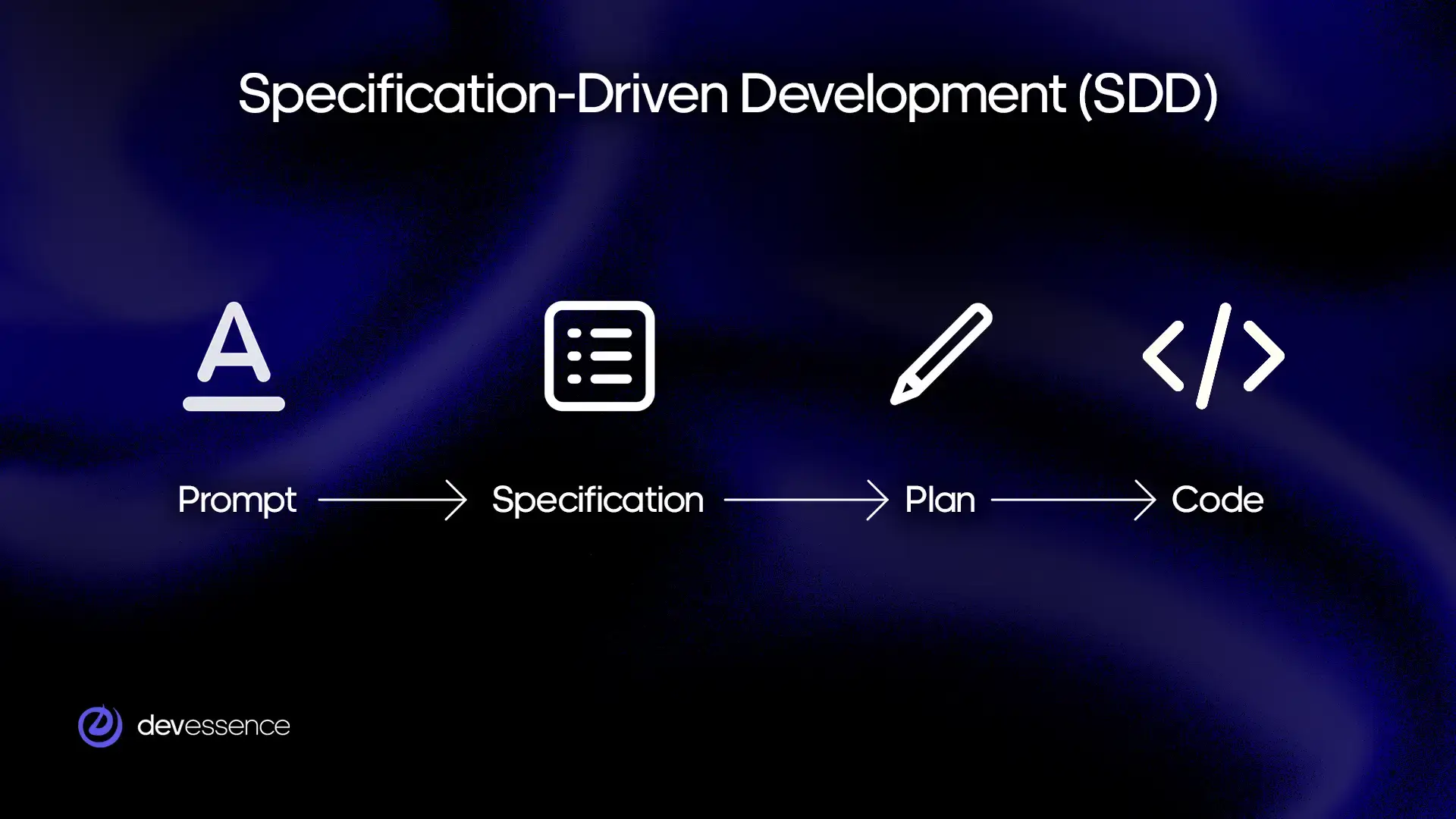
The workflow typically follows this sequence: prompt → specification → plan → code
Two levels of detail guide the process. At the business level, specifications define goals, constraints, and expected outcomes. At the technical level, a detailed plan describes architecture, data flow, and implementation decisions.
This approach works well for complex systems where alignment, traceability, and predictability matter. It gives teams more control over how AI is used while keeping development consistent across contributors.
Ready to take your software development to a more efficient level?
Let’s talkWhat Actually Works in AI-Assisted Software Development
AI is now part of everyday development workflows, but results vary depending on how it is applied. Around 84% of developers already use or plan to use AI tools, and more than half use them daily. At the same time, the impact on productivity and quality is inconsistent, which makes the implementation approach more important than the tools themselves.
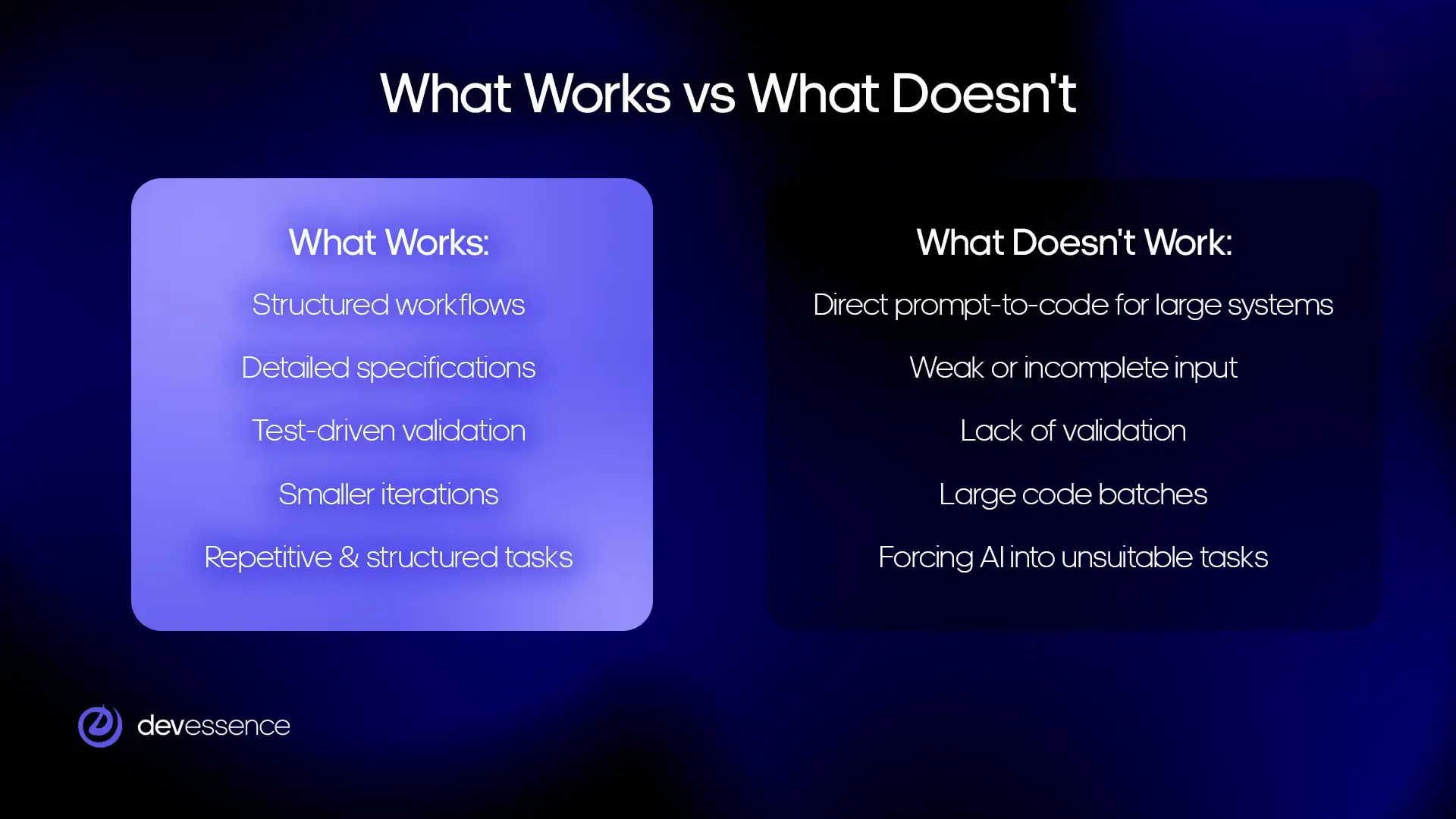
Structured workflows
A multi-step workflow improves output quality by reducing ambiguity before code generation. Instead of relying on a single prompt, teams introduce specification and planning stages.
This structure aligns with how high-performing teams use AI in practice. Organizations that integrate AI into structured workflows report significantly higher throughput. For example, up to 60% more pull requests from daily AI users. The improvement comes from better coordination, not just faster code generation.
Detailed input and specifications
Short prompts rarely produce reliable results. AI performs better when it receives detailed input that clearly defines expectations and constraints.
Effective specifications typically include:
- detailed usage scenarios that describe how the system should behave;
- acceptance criteria that define what success looks like.
This level of detail reduces guesswork and helps ensure that generated code matches real requirements instead of assumptions.
Test-driven validation
AI-generated code requires strong validation. Automated testing becomes a core part of the workflow rather than a supporting activity.
Teams often aim for high test coverage, around 80 percent, to ensure consistent behavior. The way tests are created also matters. When tests are generated from existing code, they tend to mirror its logic and may miss issues. When tests are based on specifications, they validate whether the system behaves as intended.
This distinction is critical because AI-generated code can introduce issues. Large-scale studies show that over 15% of AI-generated commits introduce defects, and about 24% of those issues remain unresolved over time. Strong test coverage helps detect and limit this accumulation.
Smaller iterations
Breaking work into smaller pieces improves both speed and quality. Large features introduce more uncertainty and make AI output harder to validate.
Smaller iterations make it easier to review changes, understand generated code, and catch issues early. They also allow teams to adjust direction quickly without large rework.
AI for repetitive and structured tasks
AI delivers the most value when applied to well-defined, repeatable tasks that follow clear patterns.
Typical examples include the following:
- generating boilerplate or routine code;
- creating test cases based on known scenarios;
- producing technical documentation from the existing context.
These use cases explain why AI is now embedded in daily workflows. Developers report saving around 3.6 hours per week on average, while AI-assisted code already accounts for roughly 40% of production output in many teams. The gains come from reducing manual effort, not from removing the need for engineering judgment.
Read also: How AI Chatbots Are Transforming Core Business Operations
What Doesn’t Work in AI-Assisted Software Development
AI can accelerate development, but certain patterns consistently lead to poor outcomes. These issues are rarely tied to specific tools but come from how AI is used within the workflow.
Direct prompt-to-code for large systems
Generating large parts of a system directly from a prompt creates code that is difficult to work with over time.
Without structure or intermediate steps, the output often lacks consistency and clear boundaries. Developers struggle to understand how different parts of the system interact, which makes changes slower and riskier. This approach may work for small tasks, but it does not scale to complex systems where clarity and maintainability are required.
Weak or incomplete input
AI depends heavily on the quality of input. When prompts are vague or incomplete, the output reflects that uncertainty.
Missing context leads to incorrect assumptions, gaps in logic, and inconsistent behavior. Teams then spend additional time correcting or rewriting generated code. In practice, insufficient input is one of the main reasons why expected productivity gains do not materialize.
Lack of validation
AI-generated code still requires full validation. Skipping this step introduces risk, especially in systems with multiple dependencies.
Developers need to review logic, test edge cases, and confirm that the implementation matches the intended behavior. Without this, issues can remain hidden until later stages, where they are more expensive to fix. Studies show that AI-generated code can introduce defects at a noticeable rate, which makes validation a necessary part of the workflow.
Large code generation batches
Generating large blocks of code at once makes review and validation more difficult. It becomes harder to trace logic, identify edge cases, and understand how changes affect the system. This increases the likelihood of overlooked errors and slows down feedback cycles. Smaller, incremental changes are easier to verify and integrate.
Inefficient use of AI
AI does not always save time. In some cases, developers spend more effort trying to adjust or correct generated output than it would take to write the code manually.
This typically happens when tasks are poorly defined or when AI is applied to complex logic without sufficient context. Teams report that productivity gains vary widely, and in certain scenarios, manual implementation remains the faster and more reliable option.
Read also: How to Build a Sustainable AI Productivity Strategy
Development Workflow with AI
AI works best as part of a repeatable workflow where each step can be reviewed and validated. The process remains similar to traditional development, but AI supports execution and iteration.
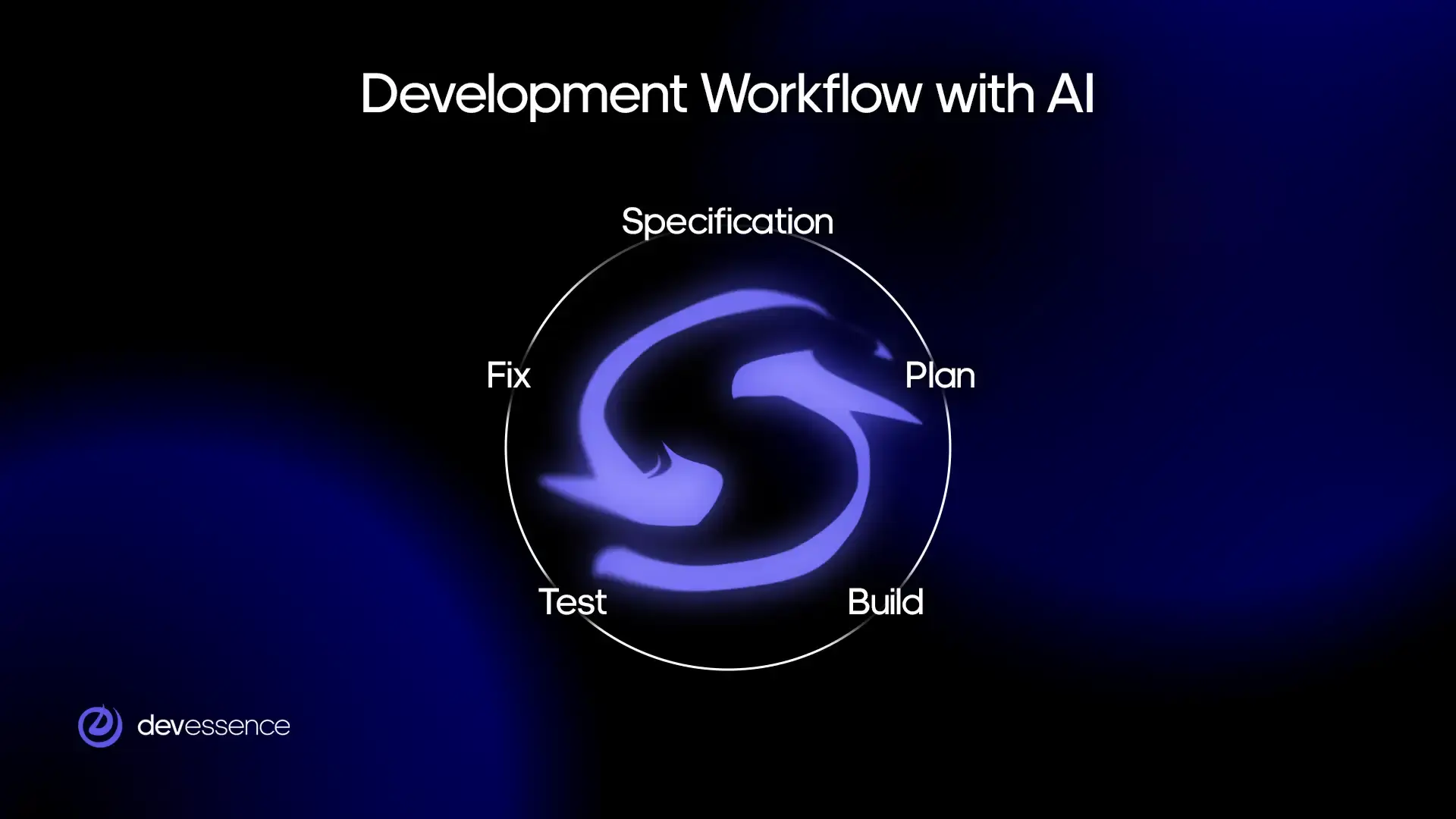
Specification
Work starts with a clear definition of what needs to be built. This includes expected behavior, constraints, and acceptance criteria.
Well-defined specifications reduce ambiguity and give AI enough context to generate relevant output. When this step is skipped or rushed, issues appear later in the process.
Plan
The next step translates requirements into a technical plan. This includes architecture decisions, data flow, and key components.
A structured plan helps guide code generation and keeps the system consistent. It also makes it easier to review decisions before implementation begins.
Build (code generation)
AI generates code based on the specification and plan. Developers guide the process, refine prompts, and ensure the output follows the intended structure.
Code generation becomes faster, but it still requires attention to integration and consistency across the system.
Test
Automated tests validate whether the generated code behaves as expected. Tests based on specifications help confirm correctness rather than just mirroring implementation.
This step is critical, as AI-generated code can introduce subtle issues that are not immediately visible.
Fix
AI can iterate on issues by adjusting code based on test results. It can resolve many failures, especially when problems are clearly defined.
In practice, the workflow often looks like this:
- AI generates code and tests;
- tests fail and provide feedback;
- AI updates the implementation and retries.
AI handles repetitive fixes and accelerates iteration, but it does not replace engineering judgment.
Manual intervention is required when:
- Failures are caused by unclear requirements.
- Issues involve architecture or design decisions.
- AI cannot resolve inconsistencies after several attempts.
This balance allows teams to move faster while maintaining control over system quality and behavior.
Productivity and Trade-offs of AI-Assisted Software Development
AI changes how time is spent during development. It reduces manual coding effort but introduces new responsibilities around review and validation. The overall impact depends on how well teams adapt their workflow.
Code generation speed
AI generates code much faster than manual implementation, especially for routine tasks and well-defined components.
Developers can move from idea to working code in minutes instead of hours. In controlled environments, studies report task-level speed improvements ranging from 30% to 55%. These gains are most visible in scaffolding, integrations, and standard patterns.
Additional overhead
Faster code generation introduces additional work that shifts effort rather than removing it.
Developers spend time on reading and interpreting generated code, understanding how different parts fit together, and validating logic, edge cases, and integration.
This overhead is necessary to ensure correctness. Without it, issues accumulate and reduce long-term productivity.
Net productivity impact
The overall impact combines faster generation with increased validation effort.
In practice, teams can achieve up to around 2x improvement in delivery speed when AI is used with structured workflows and clear specifications. The results vary based on two main factors:
- Developer skill in reviewing and guiding AI output.
- How consistently AI is applied within a defined process.
When these conditions are not met, productivity gains become inconsistent and may disappear.
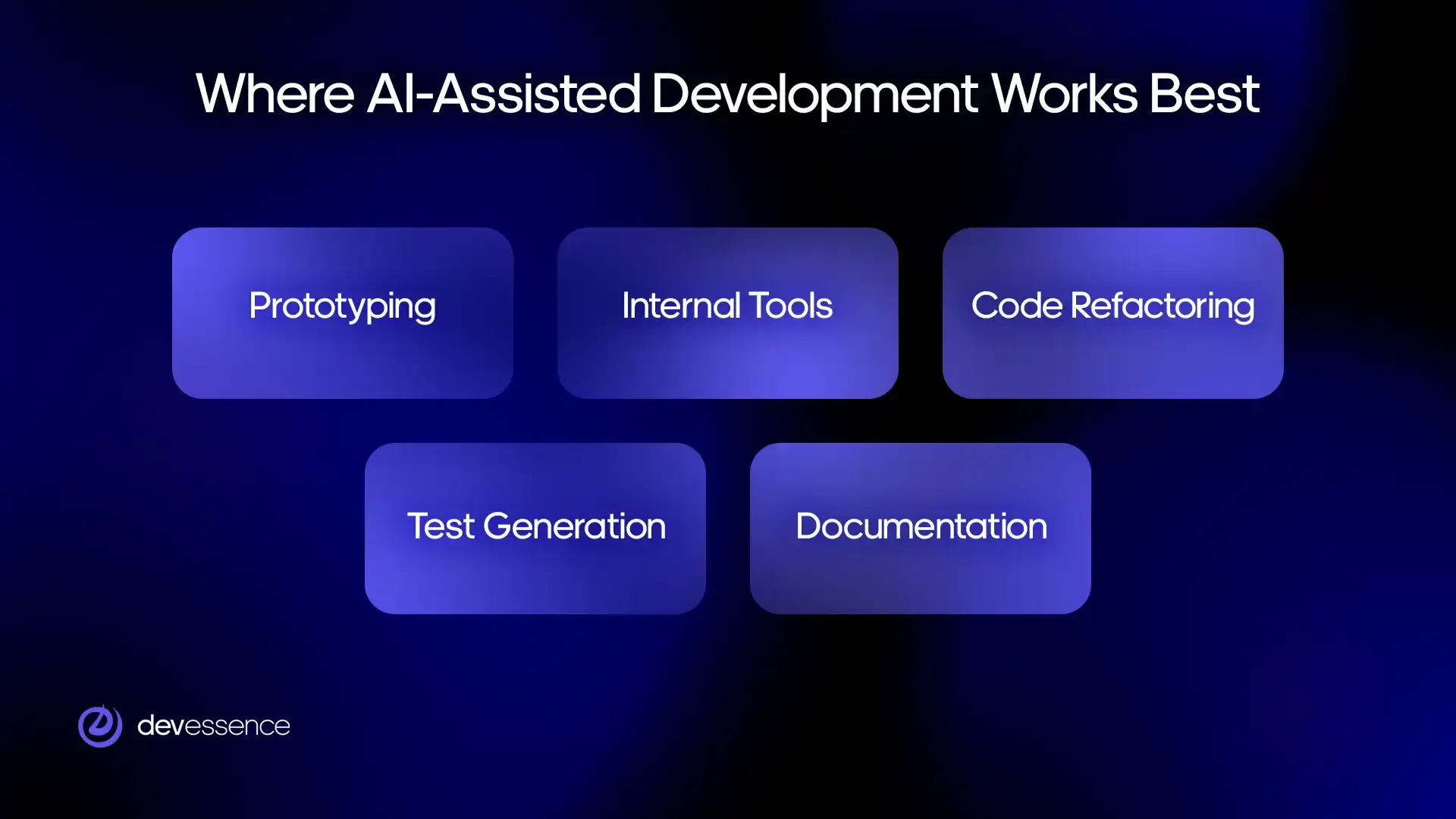
Where AI-Assisted Development Works Best
AI delivers the most consistent results in scenarios where tasks are well-defined, repeatable, and supported by clear context. In these cases, it reduces manual effort without increasing uncertainty.
Prototyping and early-stage development
AI helps teams move quickly from idea to working prototype. It generates initial structures, basic logic, and simple interfaces based on limited input.
This is useful when validating concepts, testing assumptions, or preparing demos. The focus is on speed rather than long-term maintainability, which makes AI a practical tool at this stage.
Internal tools and automation
AI works well for internal systems where requirements are stable and complexity is moderate.
Examples include dashboards, admin panels, and workflow automation tools. These systems often follow predictable patterns, which allows AI to generate a large portion of the code with minimal iteration. Teams can deliver faster without introducing significant risk.
Code refactoring and modernization
AI can analyze existing code and suggest improvements, helping teams update legacy systems or clean up complex logic.
This includes restructuring code, improving readability, and aligning with modern frameworks or standards. Developers still guide decisions, but AI reduces the effort required to implement changes.
Test generation and quality assurance
AI supports testing by generating unit tests, suggesting edge cases, and expanding coverage based on existing code or specifications.
This is especially useful in large systems where writing tests manually is time-consuming. When combined with specification-based validation, AI helps improve confidence in system behavior.
Documentation and knowledge transfer
AI can generate technical documentation from code, specifications, and system context.
This includes API descriptions, architecture summaries, and onboarding materials. It helps keep documentation up to date and reduces the gap between implementation and understanding, especially in teams with multiple contributors.
Explore: MCP for Enterprise-Ready AI Agents
Wrapping Up
AI accelerates code generation, but it does not reduce the need for understanding and validation. Teams that see consistent results treat AI as part of a structured process rather than a shortcut.
Several numbers are worth paying attention to. Task-level speed improvements often range between 30% and 55% when AI is applied to well-defined problems. In structured environments, overall delivery speed can reach up to around 2x. At the same time, studies show that AI-generated code introduces defects in a noticeable share of cases, which reinforces the need for strong validation practices.
Changes in the development process
The role of developers shifts toward control and decision-making. Less time is spent writing code line by line, and more time is spent shaping how systems are built.
Developers take more responsibility for understanding and clarifying requirements and defining how the system should be implemented. Work becomes less task-driven and more focused on intent, structure, and verification.
Key constraints
The effectiveness of AI depends on how it is used, so results improve when teams follow consistent practices and provide clear input.
Quality and completeness of input have a direct impact on output. Structured, step-by-step workflows reduce ambiguity and make results more predictable. Disciplined usage ensures that AI is applied where it adds value, rather than forcing it into unsuitable tasks.
When these conditions are met, AI supports faster delivery while preserving control over system quality.